From 35 WPM to 85 WPM in 6 Weeks — The Practice Schedule That Actually Worked
Average is 40 WPM. Power typists hit 80+. Here's the 15-minute daily routine and technique corrections that let most people double their speed in under 2 months.
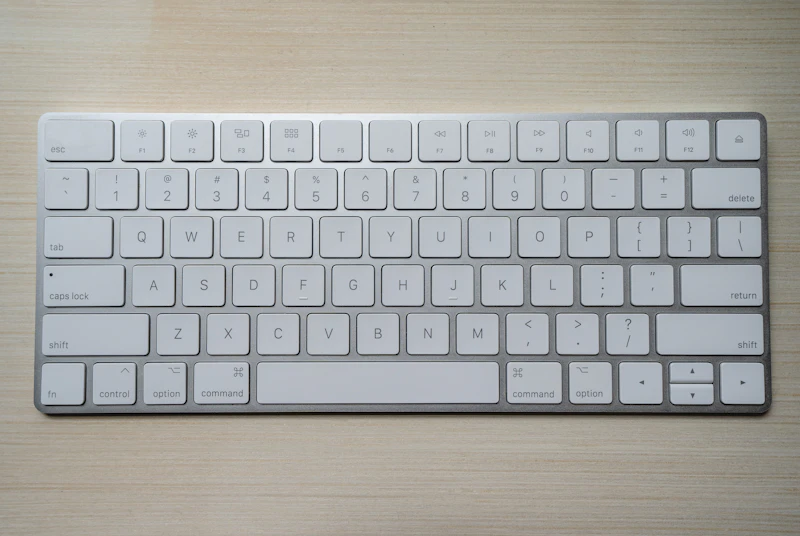
I typed at 35 WPM for most of my twenties. Six years into my career, I realized I was losing maybe 30 minutes a day to slow typing — 125 hours a year. So I committed to 15 minutes of typing practice every morning for 6 weeks. Nothing fancy: just typing.com drills followed by a timed test at the end of each session. Six weeks later, I was at 85 WPM. Nothing else in my life required that kind of ROI for that little effort.
Most people type way below their potential because nobody ever taught them proper technique. Touch typing, home row position, 10-finger usage — these are skills you can learn in a weekend, but practice matters more than knowledge. This guide gives you the benchmarks, the technique rules, and the practice schedule that turns 40 WPM typists into 70+ WPM typists in a realistic timeframe.
What you'll learn in this guide
- ✅Typing speed benchmarks by profession (what's realistic for your job)
- ✅The 5 technique corrections that unlock immediate speed gains
- ✅A 15-minute daily practice schedule that produces measurable improvement in weeks
What Is the Average Typing Speed?
The average typing speed varies by context and experience level. Understanding where you stand helps you set realistic improvement goals.
- General population: 40 WPM (Words Per Minute)
- Office workers: 50-70 WPM
- Professional typists: 75-95 WPM
- Speed typing champions: 150+ WPM
- Korean typing (CPM): Average 200-300 CPM, professionals 400-600 CPM
Always measure before you practice
Before starting any typing improvement plan, take a timed test to establish your baseline. Don't skip this — in 6 weeks you'll want to know if the practice worked, and you need the starting number. Take a second test at the 2-week and 4-week marks. Tracking the trendline keeps you motivated through the awkward phase where touch typing initially slows you down.
Try this tool now:
Typing Speed Test →5 Proven Ways to Increase Your Typing Speed
Here are five evidence-based methods that will help you type faster and more accurately:
- Learn Touch Typing: Place your fingers on the home row (ASDF JKL;) and type without looking at the keyboard. This is the single most impactful change you can make. It may slow you down initially, but within 2-4 weeks, you'll surpass your old speed.
- Practice Daily for 10-15 Minutes: Consistency beats intensity. Short daily practice sessions build muscle memory more effectively than occasional long sessions. Set a daily reminder and use a typing test tool.
- Focus on Accuracy First, Speed Second: Many beginners make the mistake of rushing. Typing accurately at 40 WPM is better than typing at 60 WPM with 80% accuracy. Speed naturally follows once accuracy is established.
- Use All 10 Fingers: Each finger has designated keys. Using only 2-4 fingers (hunt-and-peck) creates a speed ceiling. Learning proper finger placement unlocks much higher speeds.
- Practice with Real Text: Typing random letters or isolated words helps less than typing actual sentences and paragraphs. Use passages from articles, books, or our typing test tool with natural language samples.
Proper Finger Placement (Home Row)
The foundation of fast typing is correct finger placement. Your fingers should rest on the home row keys:
- Left hand: A (pinky), S (ring), D (middle), F (index) — F has a tactile bump
- Right hand: J (index), K (middle), L (ring), ; (pinky) — J has a tactile bump
- Thumbs: Both rest on the spacebar
- Each finger reaches up or down from home row to hit nearby keys
- Return fingers to home row after each keystroke
Typing Speed by Profession
Different careers have different typing speed requirements. Here's what various professionals typically need:
- Data Entry Clerks: 60-80 WPM (speed and accuracy are critical)
- Software Developers: 50-70 WPM (quality of code matters more than raw speed)
- Writers & Journalists: 60-90 WPM (faster typing means faster drafting)
- Customer Service Reps: 50-65 WPM (need to type while talking)
- Transcriptionists: 75-100 WPM (must match spoken word speed)
- Administrative Assistants: 55-75 WPM (emails, documents, scheduling)
Common Typing Mistakes to Avoid
- Looking at the keyboard: Breaks the feedback loop between screen and fingers
- Using the wrong fingers: Creates bad habits that are hard to unlearn later
- Ignoring posture: Poor posture leads to fatigue, pain, and slower speeds over time
- Skipping warm-up: Cold fingers type slower — do a quick 2-minute warm-up before important typing tasks
- Not tracking progress: Without measurement, you can't improve systematically
Expect to get slower before you get faster
If you switch from hunt-and-peck to proper touch typing, your WPM will drop by 30-50% for the first 1-2 weeks. This is normal and unavoidable. Your brain is rewiring its keyboard map. If you quit during this dip and go back to your old technique, you'll stay stuck at your current speed forever. Push through the awkward phase — by week 3 you'll be back to your original speed, and by week 6 you'll be significantly faster.
Typing Speed Test
Measure your WPM, accuracy, and grade with real-text sentences in English or Korean
Test my speed →Frequently Asked Questions
How long does it take to reach 60 WPM?
With daily practice of 15-20 minutes, most people can reach 60 WPM within 1-3 months, starting from an average of 40 WPM. The key is consistency — practicing every day matters more than practicing for hours once a week.
Is 40 WPM a good typing speed?
40 WPM is the average for the general population, so it's adequate for most tasks. However, if your job involves significant typing, aiming for 60+ WPM will noticeably boost your productivity.
Does keyboard type affect typing speed?
Yes, keyboard type and quality can affect speed and comfort. Mechanical keyboards with tactile feedback are popular among fast typists. However, the most important factor is practice and technique, not equipment.
Can I practice Korean and English typing separately?
Yes! QuickFigure's typing test supports both Korean and English with separate sentence sets. Korean typing is measured in CPM (Characters Per Minute), while English uses WPM (Words Per Minute).
▶Try the tools from this article
Haeun
Content editor. Making everyday tool guides easy and fun to follow.
Found this helpful? Get new guide alerts
No spam. Unsubscribe anytime. · By subscribing, you agree to our Privacy Policy.