How to Copy 149,000 Unicode Symbols: The Complete Special Characters Guide
Windows Win+. is slow, Mac Character Viewer is hidden, and typing alt codes is painful. Here's the faster way to grab any symbol, emoji, or character in 2 seconds.
I was helping a friend prep a wedding invitation when she asked me how to type the heart symbol. I tried to walk her through Windows Character Map over the phone. Three minutes of 'click Start, type charmap, no not that one' later, she gave up and Googled 'heart symbol copy paste.' She had the symbol pasted in 4 seconds. That's when I realized the built-in character tools on every OS are basically unusable.
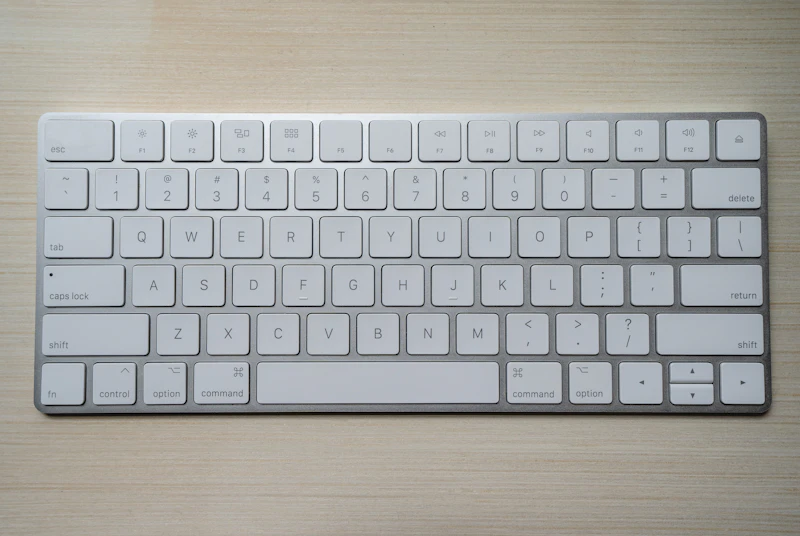
Your keyboard has maybe 100 characters. Unicode has over 149,000. That's 149,000 symbols you technically can use on Instagram, in your resume, inside Google Docs, or in an email subject line — but can't actually type. If you've ever wanted a star, arrow, foreign currency sign, or decorative bullet and ended up copying one from a random forum, there's a better way.
What you'll learn in this guide
- ✅Why every built-in OS character tool is slower than a copy-paste website
- ✅The top 12 symbol categories people actually need day to day
- ✅Which platforms and email clients handle special characters safely
Your Keyboard Gives You 100 Characters. Unicode Has 149,000.
A standard QWERTY keyboard exposes about 100 characters — 26 letters in two cases, 10 digits, a dozen or so punctuation marks. Unicode 15.1 defines 149,813 characters: arrows in 15 styles, currency symbols for 180 countries, Greek letters used in physics, music notation, mathematical operators, 3,700+ emojis, and decorative glyphs nobody knows they need until they see one.
The bottleneck isn't availability — it's access. Windows Character Map opens a dialog from 1998. The Mac Character Viewer lives five layers deep in a menu. Alt codes work only for Latin extended and require memorizing four-digit numbers. That's why 'symbol copy paste' is one of the most-Googled utility keywords: people just want the character in their clipboard in under 3 seconds.
Try this tool now:
Symbol Copy & Paste →The 12 Categories You Actually Need
- Hearts — for messages, social bios, anniversary posts
- Stars — for ratings, decorative lists, highlighting
- Arrows — for instructions, flowcharts, UI hints
- Checks & X marks — for checklists, status indicators, comparisons
- Currency — for international pricing and finance content
- Math — plus/minus, multiplication, infinity, approximation
- Greek letters — for science, engineering, statistics
- Punctuation — em dash, ellipsis, French quotes, typographic quotes
- Bullets — for lists, resumes, presentations
- East Asian brackets — for typography and decorative labels
- Music — notes, flats, sharps for music blogs and playlists
- Emojis — for SNS and messaging
These 12 categories cover probably 95% of everyday needs. The other 5% is long tail — chess pieces, zodiac signs, Braille, ancient scripts. Those exist if you need them, but you'll mostly live in the 12 above.
Built-in OS Tools vs. A Web Tool
| Tool | Access Speed | Limitations |
|---|---|---|
| Windows Character Map | ~15 seconds | Tiny dialog, hard to search |
| Windows Win+. emoji picker | ~3 seconds | Emojis only, no symbols |
| Mac Character Viewer | ~5 seconds | Only visible if enabled |
| Alt codes (Windows) | Memory-dependent | Latin extended only, ~200 codes |
| Mobile keyboard long-press | ~2 seconds per key | Limited to keyboard's offerings |
| Web copy-paste tool | ~2 seconds | Needs browser and internet |
The web tool wins once you bookmark it. Open tab, click, paste — done. It also works across platforms, so your workflow is identical on Windows, Mac, iPad, or Linux. And it covers categories your OS never did, like East Asian punctuation marks and obscure currency signs.
Bookmark one tool and forget the rest
Stop trying to remember Alt codes or the path to Character Map. Bookmark a good symbol tool, pin it, and you'll shave 10 seconds off every task that needs a non-keyboard character. I paste arrows into Slack, hearts into Instagram captions, and math symbols into Google Docs dozens of times a week. Two seconds per use times thousands of uses a year is real time saved.
Platform Quirks: Where Symbols Break
Most Unicode symbols render identically everywhere. But a few edge cases trip people up. Older Android phones (before 2019) can't show the newest emojis and display them as empty boxes. Outlook and some corporate email gateways strip or replace certain characters to prevent encoding bugs. Some SMS carriers downgrade Unicode-heavy messages to longer multi-part sends, which costs more.
For maximum compatibility, stick to the 'static' symbols from the math, arrows, and currency categories. They've been in Unicode since 1993 and render the same on any device made this century. Save the fancy emojis for Instagram and Twitter where 99% of users are on current OS versions.
Don't overdo symbols in email subject lines
Stars and arrows in email subject lines used to boost open rates. That was 2016. Now most spam filters — Gmail, Outlook, Apple Mail — penalize heavy symbol use as promotional-tier or spam. One star at the start is fine; three stars plus a heart plus a siren emoji will quietly land in the Promotions tab where nobody checks. Test before sending to a real list.
Frequently Asked Questions
How do I copy and paste a special character?
Open a symbol tool, click the symbol you want, and it's in your clipboard. Paste with Ctrl+V on Windows or Cmd+V on Mac. If the symbol shows up as a box after pasting, the destination app doesn't have a font that includes that character — try a different symbol or update the app's font.
Do special characters work on all devices?
Basic symbols from 1993 Unicode work everywhere. Modern emojis work on any device made in the last 5 years. Really new emojis from the last year or two may show as boxes on older OS versions. For professional documents, stick to arrows, math, currency, and Greek letters — those have been universally supported for decades.
Why do some symbols break when I email them?
Corporate email gateways sometimes convert or strip high-Unicode characters to prevent encoding issues. Outlook on Windows can also auto-replace certain characters. If a symbol disappears or turns into a '?', try a different one or paste as plain text to bypass the auto-correct.
What's the difference between a symbol and an emoji?
Symbols are monochrome Unicode characters like arrows and math operators. They're font-based and look the same across platforms. Emojis are the colorful pictographs. Emoji rendering varies by OS because each vendor ships its own emoji art — the same smiley looks slightly different on iOS vs. Android.
Can I use symbols in my Instagram bio?
Yes. Instagram supports full Unicode including all symbols, currency signs, and emojis in bios, captions, and comments. A few decorative Unicode blocks (mathematical alphanumeric) even let you fake 'bold' or 'italic' text in your bio since Instagram doesn't support real formatting there.
Symbol Copy & Paste
Browse every Unicode symbol and emoji, click to copy — no Alt codes, no menu diving
Open the tool →▶Try the tools from this article
Haeun
Content editor. Making everyday tool guides easy and fun to follow.
Found this helpful? Get new guide alerts
No spam. Unsubscribe anytime. · By subscribing, you agree to our Privacy Policy.